
Text message alerts
Kemback is a personal finance service from Phlorin LLC. Members on the Plus plan can choose to get some of their Kemback alerts as text messages (SMS). This page shows exactly how that works: how a member opts in, the consent text they agree to, every message we send, how often, and how to stop.
Who sends the messages
Kemback, a service of Phlorin LLC, from its own US phone number. Every message names Kemback.
What we send
We send these text messages, and only to a member who turned them on in the app:
- Account alerts the member chose, of six kinds: a budget category over its limit, unusual spending in a category, a large purchase, a bank fee, a low account balance, and a bill due soon.
- A one-time verification code, when the member adds their number, to prove it is theirs.
- The opt-in confirmation, once the number is verified (and again if they reply START).
- Replies to HELP, STOP and START.
We never send marketing or promotional messages. An alert text says only what kind of thing happened and links to the member’s Alerts page in Kemback. It never contains an amount, a payee, an account name or an account number: the details stay in Kemback, behind the member’s sign-in.
How to opt in
Text alerts are part of Kemback Plus, and reach mobile numbers in the United States and Canada. Members opt in themselves, in the app. We never add a number for anyone, and we never text a number that hasn’t opted in.
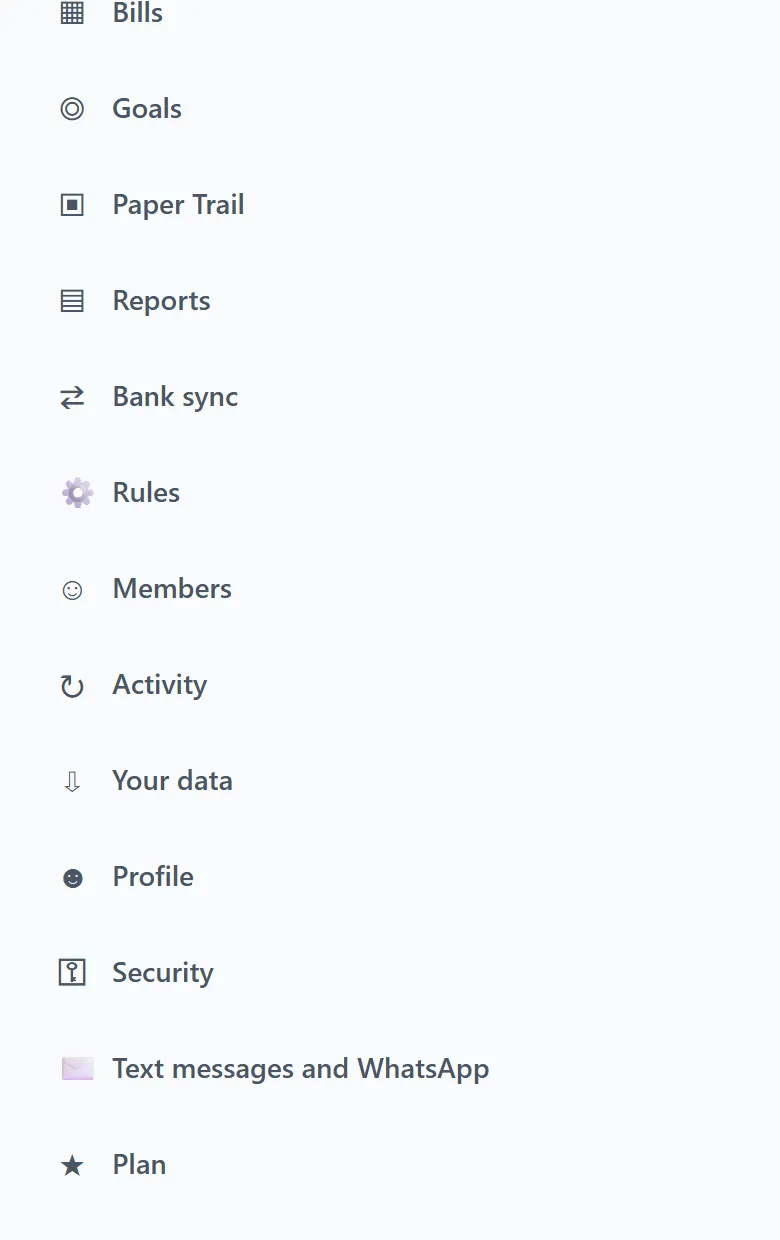
1. Open the text message settings. Sign in at kemback.com, open the menu and choose Text messages and WhatsApp. In the iPhone and Android apps, it’s under More, then Text messages and WhatsApp.
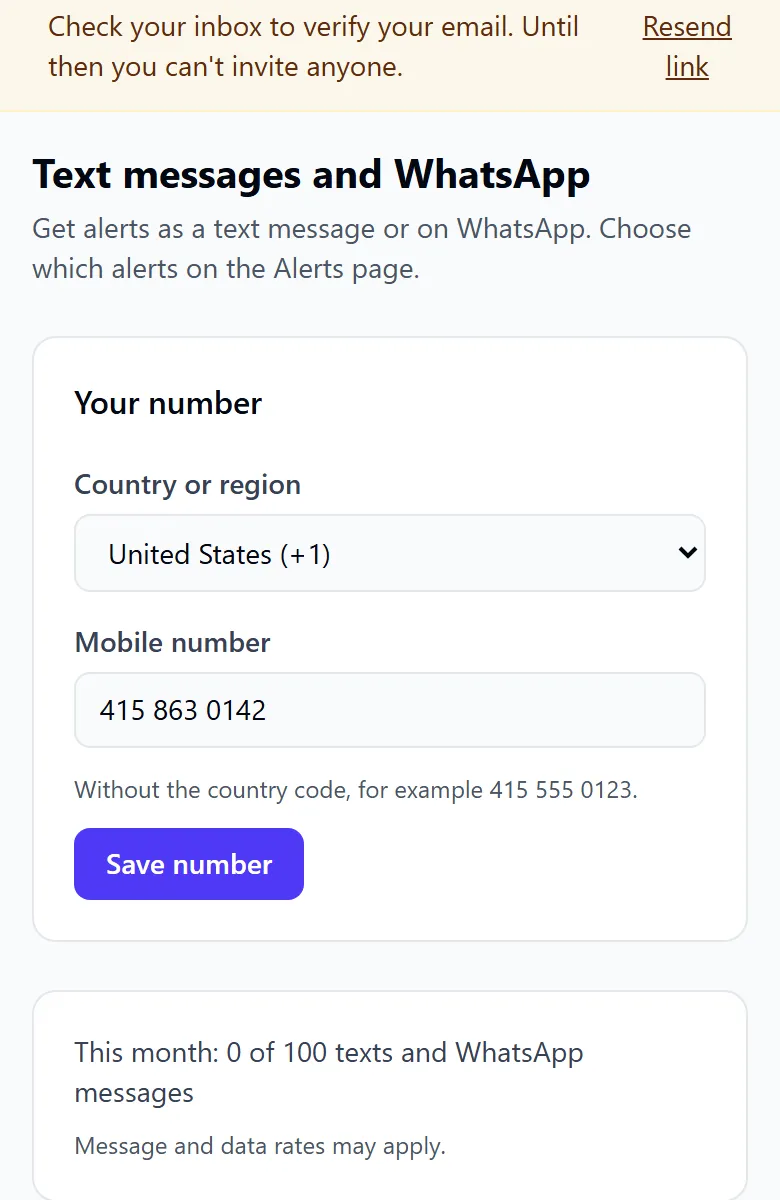
2. Add your mobile number. Choose your country or region, type your mobile number and choose Save number.
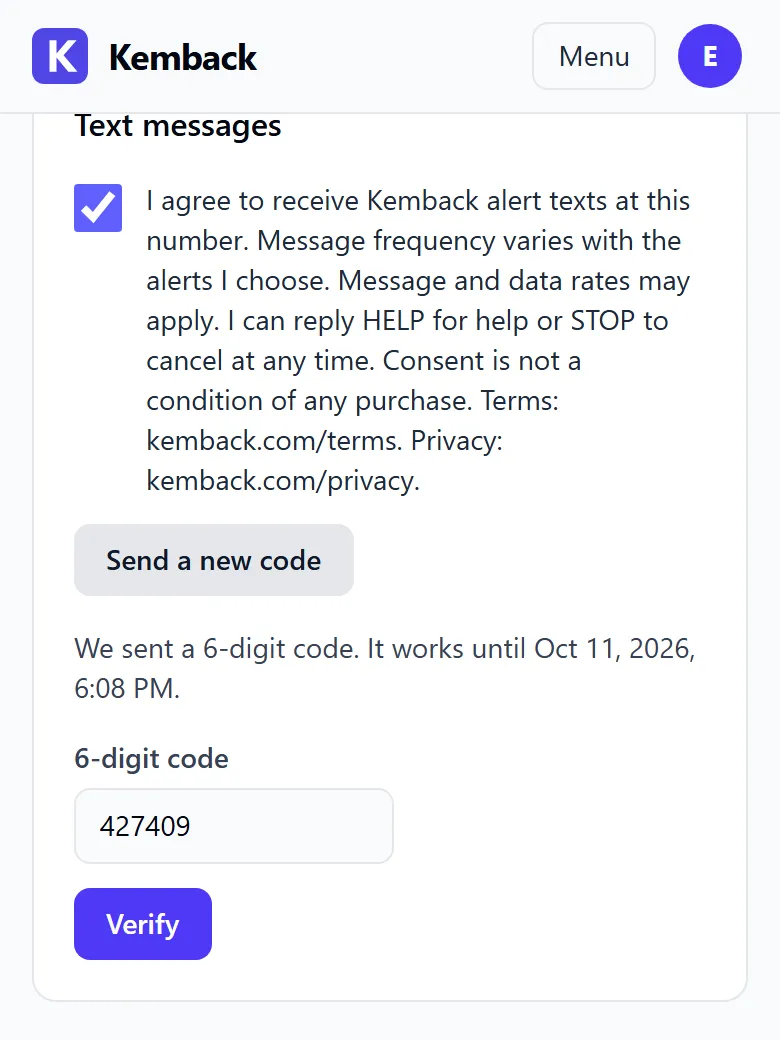
3. Read the consent text. Under Text messages, the app shows the consent text with an empty checkbox. Send code can’t be used until the box is ticked.
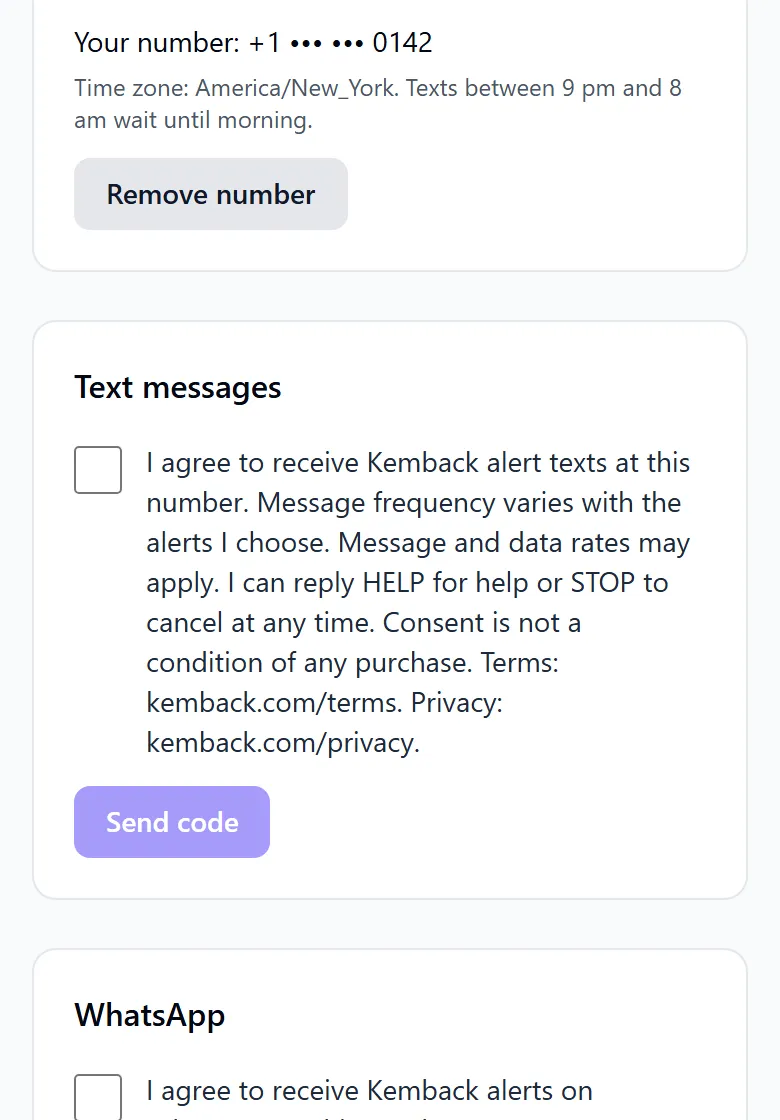
The consent text, exactly as the app shows it:
I agree to receive Kemback alert texts at this number. Message frequency varies with the alerts I choose. Message and data rates may apply. I can reply HELP for help or STOP to cancel at any time. Consent is not a condition of any purchase. Terms: kemback.com/terms. Privacy: kemback.com/privacy.
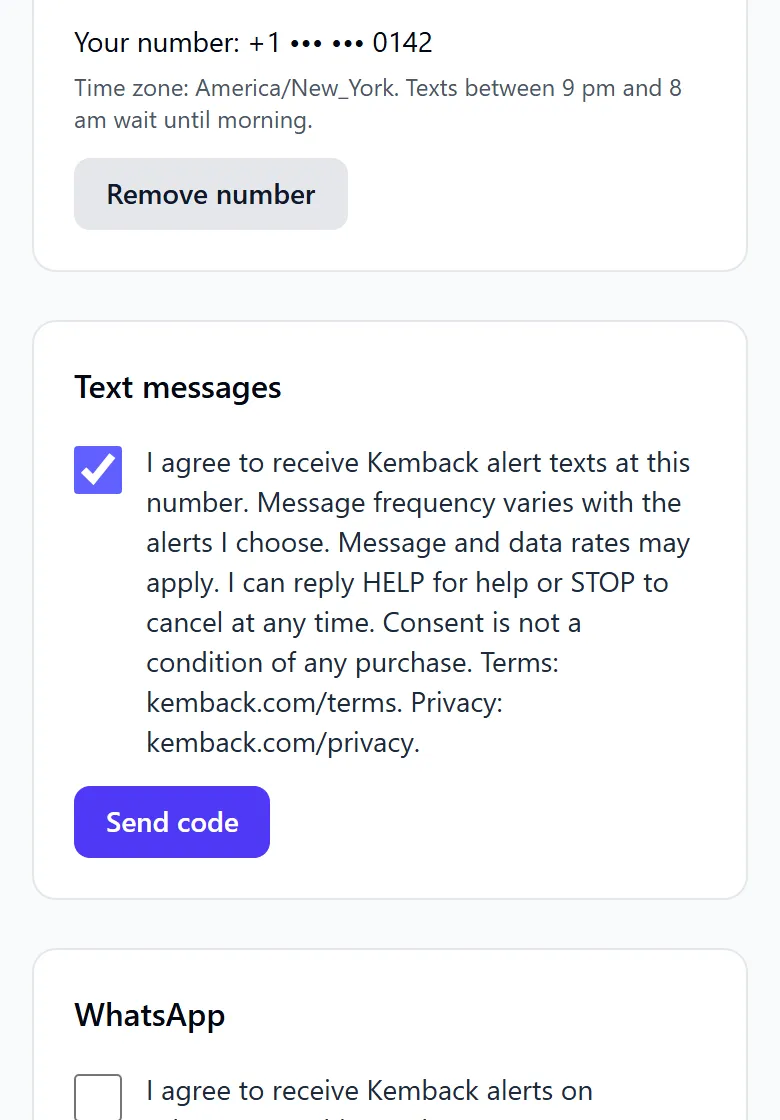
4. Agree, and ask for a code. Tick the box and choose Send code. Asking for the code is the opt-in: we keep a record of the exact text agreed to, its version and language, the time and the IP address.
5. Enter the code. We text a 6-digit code:
Kemback: your verification code is 482915. It expires in 10 minutes. Don't share it with anyone.
Type it into 6-digit code and choose Verify. A code works for 10 minutes and 5 tries.
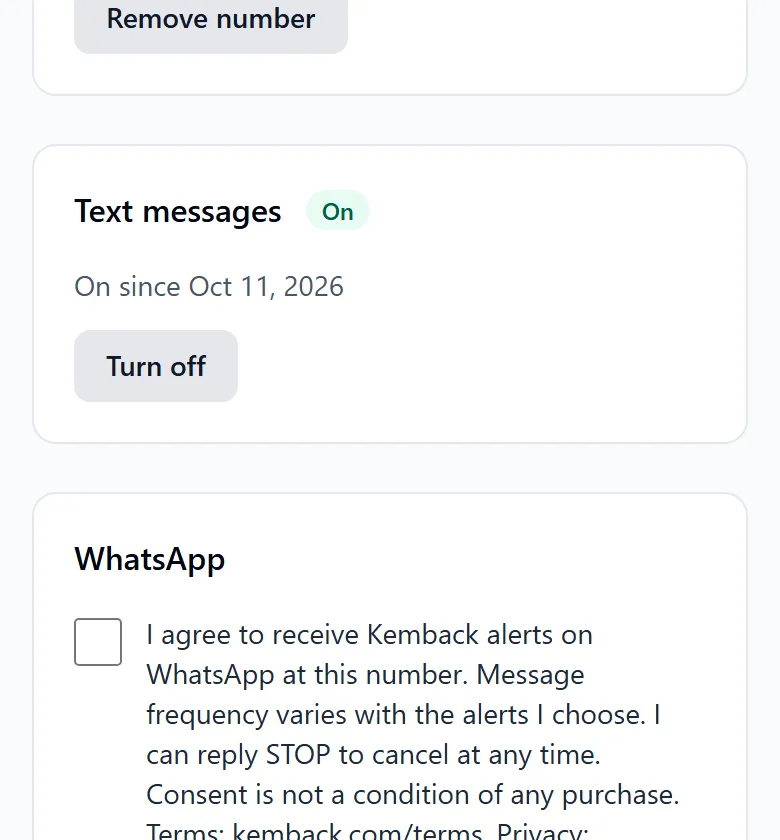
6. Text messages are on. The app shows On, and we text this confirmation:
Kemback: you'll now get the alerts you chose by text. Msg frequency varies. Msg & data rates may apply. Reply HELP for help, STOP to opt out.
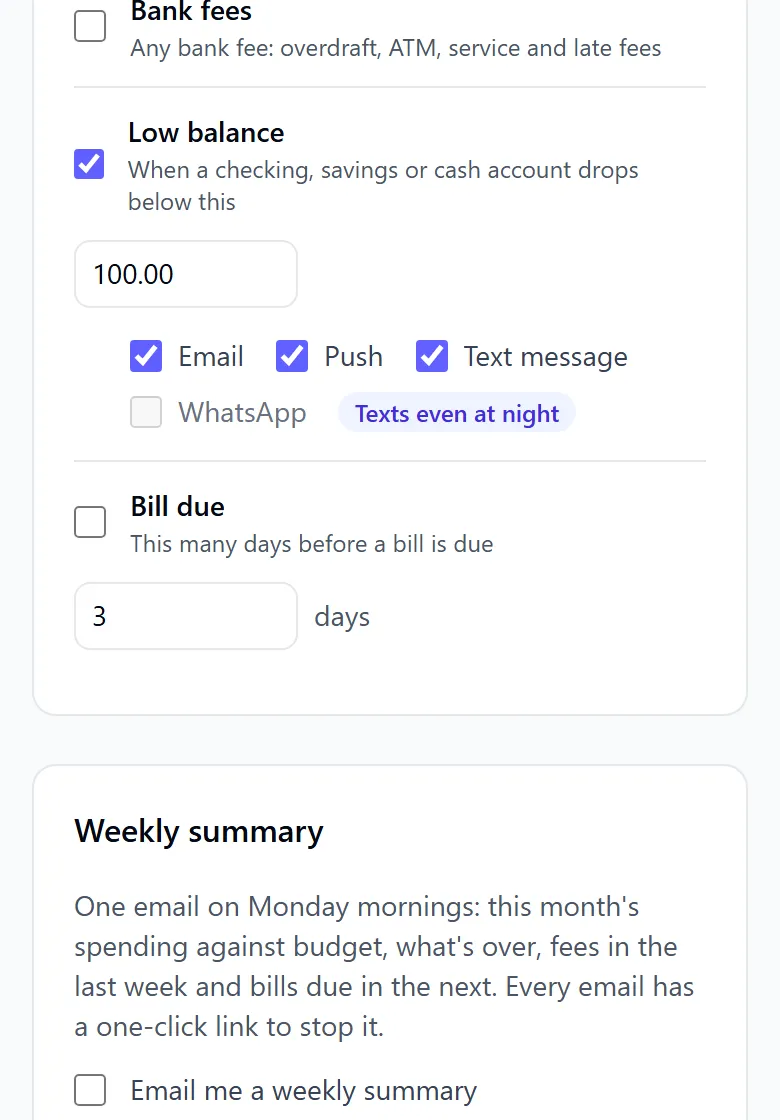
7. Choose which alerts come by text. On the Alerts page, tick Text message under each alert you want texted. Nothing is texted until you do.
Sample messages
These are the messages exactly as Kemback sends them in English. A member who uses Kemback in another language gets them in that language. Each alert links to the member’s own Alerts page; the link below is an example.
The first alert text, and at least one every 30 days, ends with “Reply STOP to opt out.”:
Kemback: a large purchase was made. Open https://kemback.com/h/2f6c0d1e-8a3b-4c5d-9e7f-1a2b3c4d5e6f/alerts to check it. Reply STOP to opt out.
The other alerts:
Kemback: a budget category hit its limit. Open https://kemback.com/h/2f6c0d1e-8a3b-4c5d-9e7f-1a2b3c4d5e6f/alerts to see which one.
Kemback: a category is above its usual spending. Open https://kemback.com/h/2f6c0d1e-8a3b-4c5d-9e7f-1a2b3c4d5e6f/alerts to see it.
Kemback: a bank fee was charged. Open https://kemback.com/h/2f6c0d1e-8a3b-4c5d-9e7f-1a2b3c4d5e6f/alerts to see it.
Kemback: an account is below your low-balance alert. Open https://kemback.com/h/2f6c0d1e-8a3b-4c5d-9e7f-1a2b3c4d5e6f/alerts to see it.
Kemback: a bill is due soon. Open https://kemback.com/h/2f6c0d1e-8a3b-4c5d-9e7f-1a2b3c4d5e6f/alerts to see it.
The verification code and the opt-in confirmation are in steps 5 and 6 above. The replies to STOP, START and HELP are below.
How often
Message frequency varies with the alerts a member chooses. We send at most 100 alert texts a month to each member; a verification code or a reply the member asks for comes on top. Texts between 9 pm and 8 am in the member’s time zone wait until morning, except alerts they mark “Texts even at night”.
Message and data rates may apply.
How to stop
Reply STOP to any text from Kemback, at any time. We stop straight away, hold anything waiting to be sent, and reply once:
Kemback: you're unsubscribed and won't get more texts from us. Reply START to get alerts again.
STOPALL, UNSUBSCRIBE, CANCEL, END, QUIT, REVOKE and OPT OUT work too, in any mix of capitals.
Or turn texts off in the app: open Text messages and WhatsApp and choose Turn off.
Reply START to get alerts by text again. We reply:
Kemback: you'll now get the alerts you chose by text. Msg frequency varies. Msg & data rates may apply. Reply HELP for help, STOP to opt out.
Reply HELP (or INFO) for help. We reply:
Kemback alerts: account alerts from your Kemback budget. Help: hello@kemback.com or kemback.com. Msg frequency varies. Msg & data rates may apply. Reply STOP to opt out.
Your number and your consent
Consent to receive text messages is not a condition of any purchase. We don’t share or sell your mobile number or your consent to texts, and we never use them for marketing. We give your number and the message only to the provider that delivers it. Carriers aren’t liable for delayed or undelivered messages.
Our Privacy Policy explains how we keep your number, and our Terms of Service cover text messages in section 7.
Help
Email hello@kemback.com, or reply HELP to any of our texts.